# Ranged Quests

The newest addition in V2, Ranged Quests allow you to offer a maximum APR until your threshold vote target is reached and then it dilutes to your minimum APR. Once the total budget is spent the Quest is capped as normal. If you have core vote needs this ranged approach can give you the needed flexibility to move with the market.&#x20;

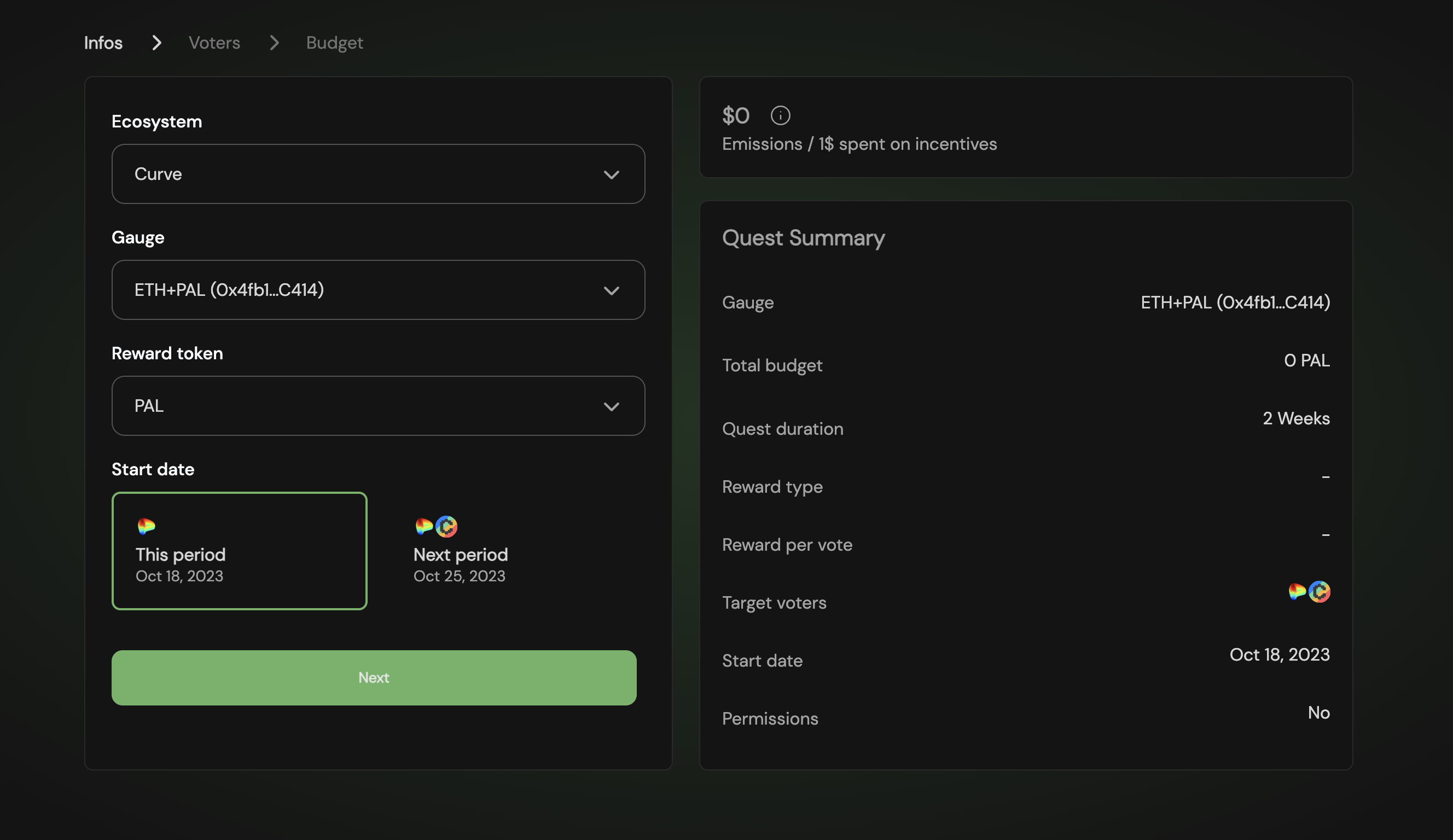
## 1. Fill the Quest’s basic info

<figure><img src="/files/iXLq9AgaZhD6d73kFsdH" alt=""><figcaption><p>Step 1: Fill ecosystem, gauge, token, and vote period</p></figcaption></figure>

## 2. Select which voters you want to target
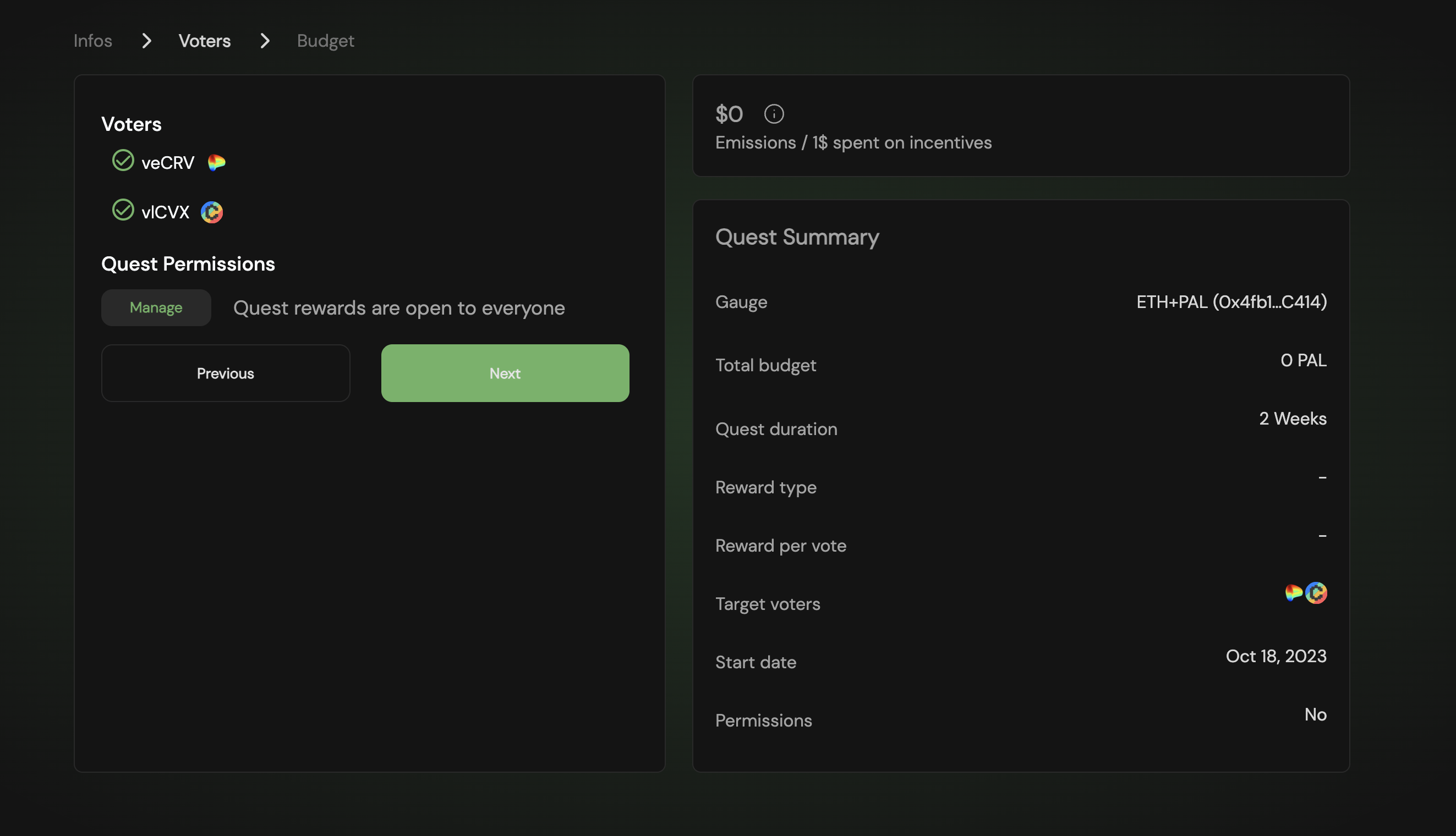
<figure><img src="/files/L4XgviPz4Dj2e23vnDjp" alt=""><figcaption><p>Step 2</p></figcaption></figure>

## 2a. Optionally you can blacklist or whitelist specific voters
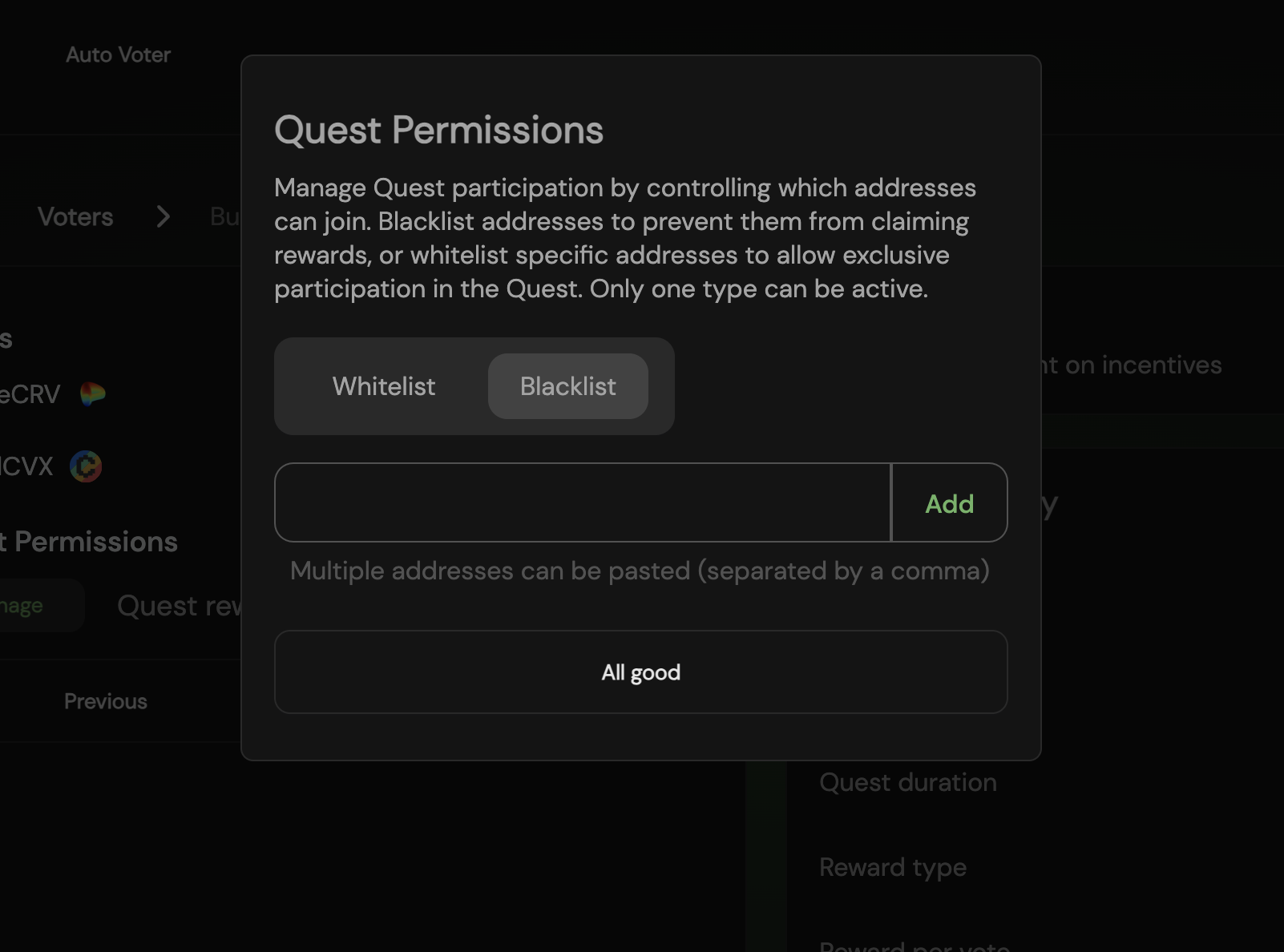
<figure><img src="/files/PA1AfIjHpiRl4PASQ9tK" alt=""><figcaption><p>Optional step to add permissions</p></figcaption></figure>

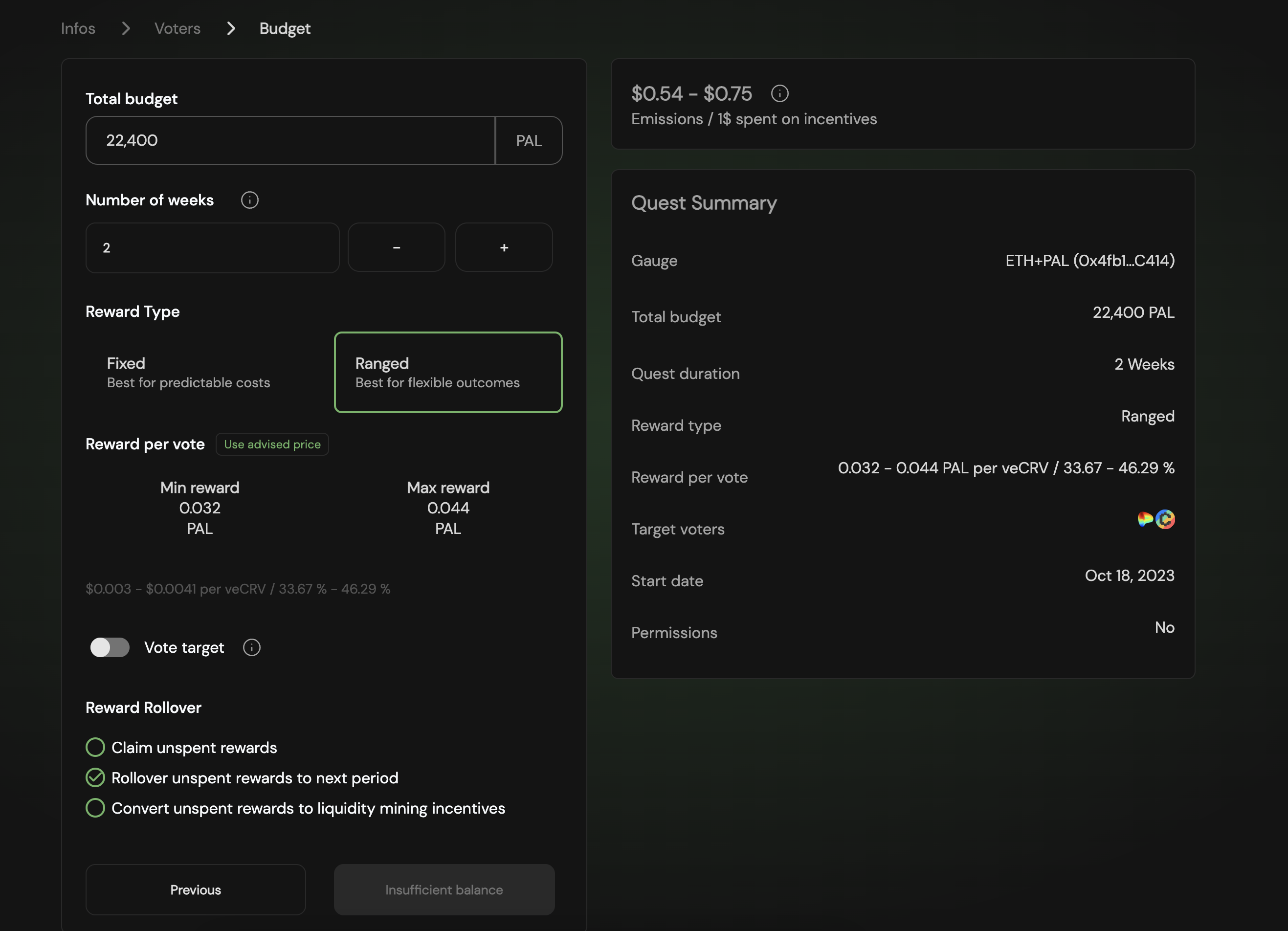
## 3. Set your Quest’s budget and the APR you want to offer

1. Your budget is distributed across the `Numbers of weeks` you choose
2. Select `Ranged` reward type
3. Price your `Min reward` and your `Max reward` The $ per vote is displayed.&#x20;
4. Choose your `Reward rollover` option

<figure><img src="/files/GfmevOdKGB2Sr2lMoHMm" alt=""><figcaption><p>Final step</p></figcaption></figure>

{% hint style="success" %}
**With this done you can create your Quest for the voting period.** For expert advice on budgeting or liquidity management, please consult the Paladin team.
{% endhint %}


---

# Agent Instructions: Querying This Documentation

If you need additional information that is not directly available in this page, you can query the documentation dynamically by asking a question.

Perform an HTTP GET request on the current page URL with the `ask` query parameter:

```
GET https://docs.trevee.xyz/trevee-quest/overview/creating-a-quest/ranged-quests.md?ask=<question>
```

The question should be specific, self-contained, and written in natural language.
The response will contain a direct answer to the question and relevant excerpts and sources from the documentation.

Use this mechanism when the answer is not explicitly present in the current page, you need clarification or additional context, or you want to retrieve related documentation sections.